

Support and resources
Putting Group Protection at your fingertips.
Online Insurance Experience (ONIX) is our intuitive self-service platform that enables you to quote, buy and renew Group Life Assurance and Group Income Protection, all in one convenient place.
Our online guide to ONIX provides you an overview of how it works and helps demonstrates the quote, buy and renewal journeys.
Introduction to ONIX enhancements webinars
ONIX provides you with Legal & General's best possible deal for quotes, in the quickest and easiest way for your clients. By passing on efficiencies delivered by ONIX, we’re able to provide enhanced terms for eligible online policies.
Explore ONIX’s latest enhancements and how to access them in our on-demand video below.
Quote, Buy and Renew
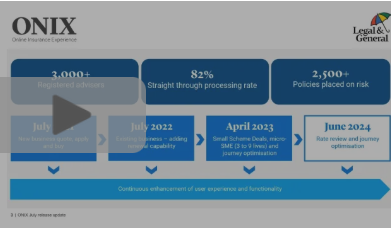
ONIX rate review webinar /
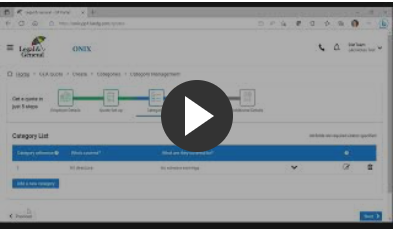
Quote using ONIX /
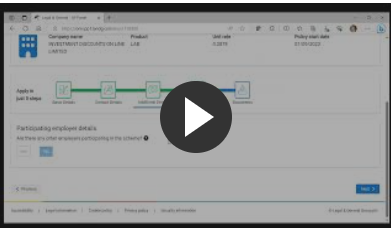
Buy using ONIX /

Mid Term Renewal using ONIX /
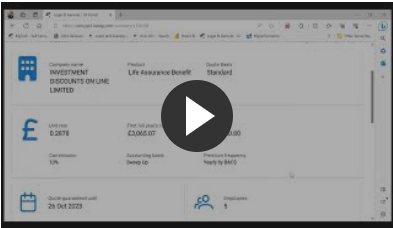
Mastertrust Walkthrough /

Rate Review using ONIX /
Key documents
Technical information
Mastertrust

Frequently asked questions
If you’ve used our previous online systems, you could use the same details although you’ll need to set up a new password to meet the authentication process.
Download our ONIX user guide (8.7mb pdf) for a walk-through of the entire process, from registration to submitting a quote.
You'll need an agency agreement and agency number.
If you are a member of a network or a larger firm, there is probably an established contract with Legal & General or even a master agency already set up. Your principal office should be able to help you get a sub-agency number.
If you are already authorised you should apply directly to us. Once you have an agency agreement with us and your agency number, please contact our Registration Team on 0370 050 0274 (option 2). We may record and monitor calls. Call charges will vary.
Yes. If you don't have a relationship with us already you'll need to apply for an agency number. Please contact our Registration Team on 0370 05 00274 (option 2). We may record and monitor calls. Call charges will vary.
Yes. Once you have a Legal & General agency number, you need to register to take advantage of our ONIX and other eServices. Please contact our Registration Team on 0370 050 0274 (option 2). We may record and monitor calls. Call charges will vary.
As part of the online registration to get access to ONIX, you can enter your UNIPASS certificate details.
As each user should have their own access, the individual should contact our Registration Team on 0370 05 00274 (option 2). We may record and monitor calls. Call charges will vary.
If you share an agency number with the person who has left, you can continue to manage the application through to completion.
However, when someone leaves, they shouldn't pass on their login details and password. They should be revoked. You can't revoke someone's access yourself online, but our Registration Team can do it for you.
Our registration team can be contacted on 0370 050 0274 (option 2). Call charges may vary. We may record and monitor calls.
You can produce a quote using ONIX to cover a minimum of three employees with no maximum. Please let your account manager know if you need additional support with more complicated requirements, or require a quote for more than 5,000 employees.
No, ONIX is set up to accept your own data file to help save you time.
Yes, you can create a quote based on certain changes to help meet the needs of your client.
This may need to be checked by our scheme underwriters to help provide a quote or when cover is being requested.
Yes, you can enter your own if the standard eligibility and earning options don’t meet your client’s needs.
This may need to be checked by our scheme underwriters to help provide a quote or when cover is being requested.
You'll receive a notification to let you know when your quote is ready. The majority of quotes will be produced straightaway.
Occasionally there could be additional detail to consider where our team will need to review the requirements. We’ll aim to get your quote to you within three working days. You’ll be kept updated through ONIX of our progress.
ONIX is currently only designed for quotes to insure employees for lump sum Group Life Assurance or group income protection.
If you would like a quote for Critical Illness Cover, Flex, Voluntary, Dependant’s Pension (542kb pdf) or cover for Partners, email us group.protection@landg.com
It's not necessary to get a new quote if the number of eligible employees or total cover changes by 25% or less.
We can automatically include new employees for cover if they meet any quote terms for actively at work and medical evidence.
You'll need to check if they are over the free limit. The list showing employees over the free limit, will only show those included in the employee details you gave for the quote.
We’ll use this to send important information and updates for the policy. For example, we'll write to tell you about the up-to-date employee details we need for the next annual renewal date.
The HMRC Pension Scheme Tax Reference confirms the scheme is registered, and we can treat the premiums and benefits correctly for tax purposes. We’ll ask for this reference during the application.
We also provide Excepted Group Life Policy and Mastertrust solutions for employers looking for an alternative to registered scheme cover, or who don’t want to set up and manage their own schemes.
You can start a policy before we medically underwrite an employee for benefits over the free cover limit.
We can give up to 90 days temporary cover. Find out more about our temporary cover terms and limits in our technical guide for the relevant product.
Where we need medical evidence from an employee, they'll need to complete a Group Protection telephone interview (83kb pdf) contact sheet so we can arrange for a convenient time to contact them.
We'll assess all the medical evidence to decide if we can offer cover and if any additional terms are appropriate.
If we do apply additional terms, these will apply straight away and we'll write to you to explain them. If this results in an increase in the premium and your client doesn't want to pay this, you can cancel the cover the increase is for, by telling us in writing within 30 days. Unless we tell you otherwise, this additional term will not affect the cover below the free cover limit.
We can include up to twenty other participating employers under the policy. You must make sure you've included all eligible employees of the participating employers in the details you gave for the quote.
These will be available to download at the end of the policy application process. Our standard policy terms are available on request.
We'll guarantee our quote for three months. You can start a policy any time in the guarantee period. If you want to start cover after this, you'll need to get a new quote.
You can include these employees within the member data you upload, confirming the country they are based in as their work location.
ONIX will automatically identify these employees, and where necessary, refer to our scheme underwriting team to assess alongside all your requirements.
ONIX will prompt you to confirm and upload the information we need and pass it through to our expert team of scheme underwriters to assess.
You can contact your Account Manager.
Alternatively, for ONIX queries call 0345 026 0094.
Or for general queries call 0800 072 9973
Both lines are open Monday to Friday 9am to 5pm.
We may record and monitor calls. Call charges will vary.

Want to find out more about ONIX?
If you need more information on how to login, register or use our ONIX platform, fill out our form with your details and one of our team will be in touch.
Protecting your data
Learn more about how we collect, store and use your personal data in our Data Privacy Notice. This includes information about the General Data Protection Regulation (GDPR) and what it means for you – Privacy Notice.
*Mandatory fields
